Paint-yourself hide-and-seek game · Trending
How to play Paint or Hunt: where to play & similar games
How to play Paint or Hunt — Paint or Hunt is a 3D hide-and-seek game made by the developer CursoraLabs. Hiders play as chameleons: they sample colours from the scenery, paint their character and strike one of 17 poses to blend in. Hunters follow whistle clues and check suspicious spots before the time runs out.
Opens gamedistribution.com, run by CursoraLabs. KoiArcade is not affiliated with the developer and does not host this game.
What is Paint or Hunt?
It runs in the browser on desktop and, according to GameDistribution, on iOS and Android phones in landscape mode. It was published on GameDistribution on 2 November 2026 and is available in English, Arabic, German, Russian, Spanish and Turkish. You can play online or with a friend in a local 2 Player mode.
| Developer | CursoraLabs (as listed on GameDistribution) |
|---|---|
| Genre | Hide-and-seek / shooter (GameDistribution categories: Casual, Shooter) |
| Released | 2 November 2026 (GameDistribution) |
| Platforms | Browser (desktop, iOS and Android, landscape); 3D WebGL |
| Players | Online multiplayer, or 2 players locally |
| Maps | 7 (official description) |
| Poses | 17 for hiders (official description) |
| Languages | English, Arabic, German, Russian, Spanish, Turkish |
What you do in Paint or Hunt
- Hide as a chameleon: sample nearby colours with the eyedropper, paint your character and pick one of 17 poses to disappear into the scenery.
- Hunt the hiders: as a Hunter, follow whistle clues, aim with the mouse and shoot to check suspicious spots before time runs out.
- Seven maps: the official description lists seven different maps.
- Custom rules: you can customise the match rules.
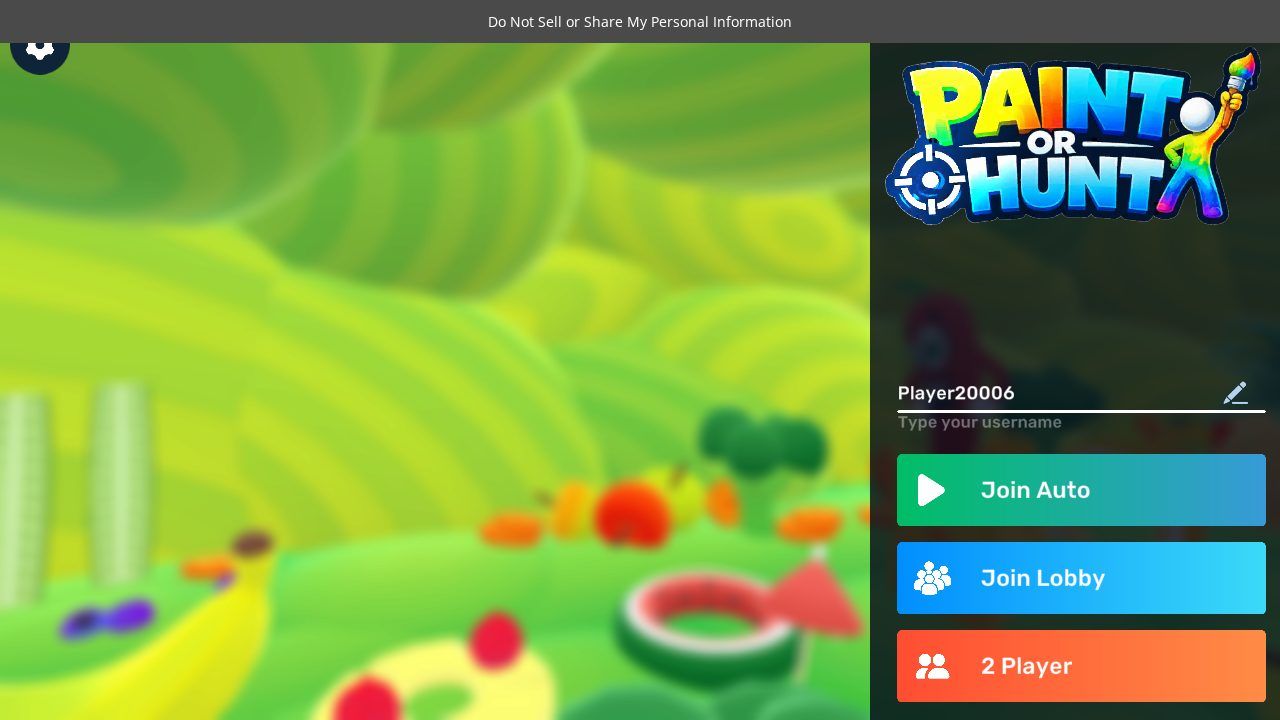
- Ways to play: the main menu has Join Auto, Join Lobby and a local 2 Player button, plus a field for your username.
- Hider extras: hiders also get a taunt key, a rotation lock and a free camera.
How to play Paint or Hunt
- Open the browser version from GameDistribution, accept or manage the privacy notice and press Play Now.
- Wait for the 3D game to load (it took a while in our test), type a username if you like, then pick Join Auto to be matched online, Join Lobby to choose a lobby, or 2 Player to play with a friend on the same device.
- As a hider, press V for the paint panel, use B + left-click to sample a colour, paint yourself, then press R to pick a pose that matches the spot you're hiding in.
- As a hunter, listen for whistles, aim with the mouse and left-click to shoot at anything that looks out of place before the timer ends.
Controls
| W A S D or arrow keys | Move |
|---|---|
| Mouse | Aim (Hunters) |
| Left-click | Shoot (Hunters) |
| Left Shift | Run |
| Space | Jump |
| R | Choose a pose (Hiders) |
| V | Open the paint panel |
| B + left-click | Eyedropper / select colour |
| Alt + mouse scroll | Change brush size |
| T | Taunt (Hiders) |
| F | Fly mode |
| X | Rotation lock (Hiders) |
| C | Free camera (Hiders) |
| P | Pause |
Paint or Hunt won't open or has no sound?
- The game won't open or stays blank
- It's a 3D WebGL game, so use an up-to-date Chrome, Edge, Firefox or Safari with hardware acceleration turned on. Turn off ad or script blockers for the page and reload, and give the first load some time.
- Play Now doesn't respond
- Accept or manage the privacy notice at the bottom of the screen first; it covers the page until you choose.
- There's no sound
- Browsers only start audio after you click or tap the page. Check the tab isn't muted (right-click the tab), turn the system volume up, and on a phone make sure silent mode is off.
- It looks squashed on my phone
- GameDistribution lists the game for landscape mode, so turn your phone sideways.
Paint or Hunt FAQ
Is Paint or Hunt free?
Yes. It's free to play in the browser; like other GameDistribution games it is ad-supported.
Who made Paint or Hunt?
It's made by CursoraLabs and distributed by GameDistribution. KoiArcade is not affiliated with either.
Can two people play Paint or Hunt on one computer?
Yes. Besides online play, the main menu has a local 2 Player mode.
How do I paint myself in Paint or Hunt?
Press V to open the paint panel, use B + left-click to pick a colour from the scenery, and change the brush size with Alt and the mouse wheel. Then press R to choose a pose.
How many maps are there?
The official description says seven maps.
Can I play Paint or Hunt on KoiArcade?
No. We don't host or embed it. Use the official link on this page; if you'd like something similar here, try the games listed below.
Opens gamedistribution.com, run by CursoraLabs. KoiArcade is not affiliated with the developer and does not host this game.
Credits and sources
Paint or Hunt is made by CursoraLabs. All game names, art and trademarks belong to them. The screenshot is our own. We don't embed Paint or Hunt. It is distributed through GameDistribution, which licenses its games to publishers with an account, and KoiArcade doesn't have a GameDistribution publisher account, so we link to the official GameDistribution page and build instead.
Sources: Official GameDistribution page · Browser version (GameDistribution build). Facts last checked on 2026-11-03. Spotted an error? Email [email protected].


